

One day your software company makes enough money to run a “real” conference… But organizing an event is only half the battle. The next challenge is getting people to register and show up.
This is where conference emails come in. A thoughtfully written email sequence can make the difference between an underwhelming turnout and a sold out event.
In this post, you’ll learn how to write a persuasive conference email, and see real examples from SaaS brands.
Don’t wait for the muse. Apply this step-by-step method to write high-performing email campaigns in hours, not weeks.
How events, meetups, and conferences help your SaaS
Whether it’s online or in-person, events and conferences gather your ideal customers together and engage with them in real time.
Holding these events help you:
- Build brand awareness. Events put your brand in front of a highly targeted audience.
- Generate new leads and gain new customers. When sessions resonate with the audience, you can get new leads who can eventually convert to customers.
- Deepen relationships with existing customers. Whether it’s about their specific use cases or feedback about your product, conferences let you have real time conversations with your customers.
- Educate leads and customers. Whether you’re speaking at a session or have a booth at the conference venue, you’re giving them value in exchange for their time.
- Open doors to partnerships and opportunities. Events can lead to future opportunities for collaborations with other companies, giving you access to their customer base.
Should this be an email sequence or a single email?
Depending on the scale of your event, a sequence usually works better than a single email. Just like any other call-to-action email, you need to send a lot of emails before your user acts.
Most conference email sequences break into two or three phases.
Pre-event
The main goals are simple: get subscribers to reserve a spot and/or buy a ticket. These emails lean on emotional triggers like building anticipation, scarcity, and fear or missing out to get the reader to act.
Common pre-event sequences include these emails:
- “Save the date” announcement
- Sneak peek of the speaker lineup
- Key learnings to expect
- Early bird tickets about to expire
- Tickets running out
During the event
This one only applies to livestreamed events.
At the minimum, send a “We’re live” email to notify participants that the event is starting and prompt them to log in. If you want to go further, send a series of email reminders days and hours before the start of the event.
Post-event
Post-event emails are a great opportunity to nurture relationships with attendees after the conference. Use these emails to:
- Thank them for attending the event
- Ask for feedback
- Keep delivering value by sharing session recordings, slide decks, and other helpful resources
What to include in conference emails
Date and time
Make that the date(s) and start time of your event is visible in your email. If you’re targeting a global audience, be specific about the time zone to avoid confusion.
Event format and location
Be clear whether the event is in-person, fully virtual, or a mix of both.
If the conference will be held in-person, include the city and country at minimum in the email. Readers will need to factor in travel costs before signing up.
You should also mention if you’re offering a livestream option for some/all of the sessions. This opens the door for people who can’t make the trip but still want in.
Clear primary CTA
Your CTA should be clear and straightforward so readers know what exactly to do next. And if you’re including secondary CTAs, make sure the primary one stands out.
Some common CTAs used in event and conference emails are:
- Save your spot
- Get your tickets
- Register now
- Apply now (for exclusive or invite-only conferences)
For free events, include the word “free” in the CTA so readers won’t miss it.
Ticket prices and promo codes
Be upfront and clear about the cost of tickets to set expectations early. Whether your event is free or paid, your subscribers shouldn’t have to go through a lot of trouble to find out.
For paid events, tell subscribers about early bird pricing and promo codes to drive early registrations.
Speaker lineup
A recognizable name can be a strong deciding factor why someone signs up for your event. Featuring a speaker lineup in your email builds credibility and sets the tone for the event.
Key takeaways and session topics
These set readers’ expectations and help them decide if the event is relevant to them.
Social proof
Your subscriber is more likely to trust someone similar to them versus a brand talking about itself. Testimonials from previous attendees reassure readers that the event is worth attending.
You can also include turnout numbers or highlight reels. These build credibility and create FOMO to convince readers to register.
Event partner and sponsor logos
Readers are more likely to trust and sign up for an event backed by brands that they already know. Including logos from well known partners and sponsors signal that the event is legitimate, well-funded, and professionally run.
Logistics
You want to make the conference experience smooth for your confirmed attendees. Include logistical information such as venue accessibility information, accommodation recommendations, and dietary accommodation so they can plan accordingly.
Invitation to submit a talk (optional)
Doing an open call for talks is a great way to uncover new talents and fresh perspectives among your audience. Be specific about what topic areas they may cover and the deadline for submissions.
Email users to meet at a third party event
This is a special breed of emails when your team is heading to a third party conference you didn’t organize. Whether you’re a sponsor, exhibitor, or speaker, sending this email can open lots of networking opportunities at the event.
Event and conference email examples from SaaS brands
1. Figma
Subject: You’re invited: Config 2026
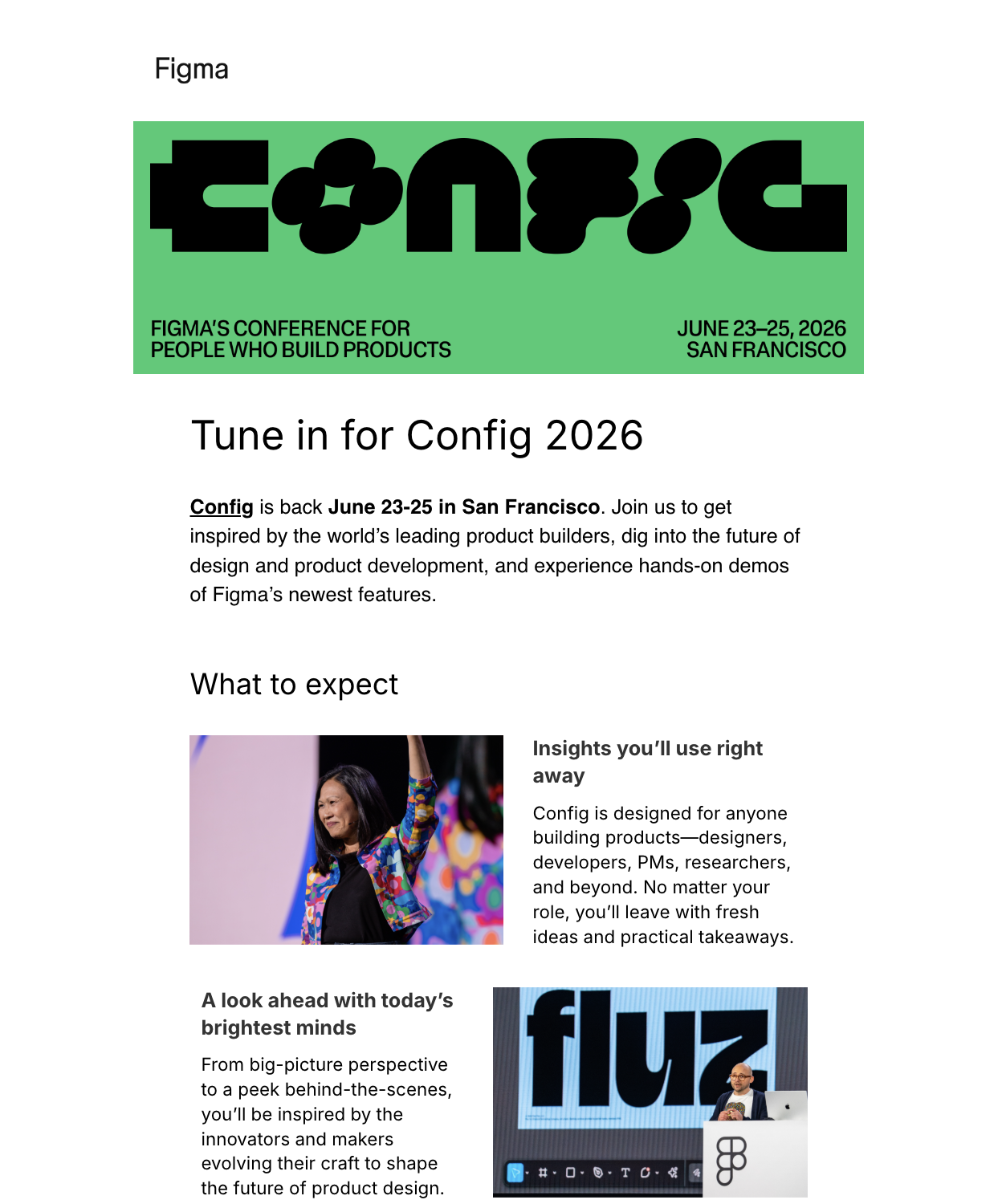
Figma’s conference email opens with a hero image containing all the important details so the reader won’t miss a thing even if they’re just skimming.
The email body mainly talks about what participants can look forward to at the conference, ending with a CTA button that’s hard to miss.
What can be done better?
Two CTAs back-to-back are redundant. They could have placed the other one after the hero banner.
2. Supabase
Subject: Join us for Supabase Select, October 3 in San Francisco
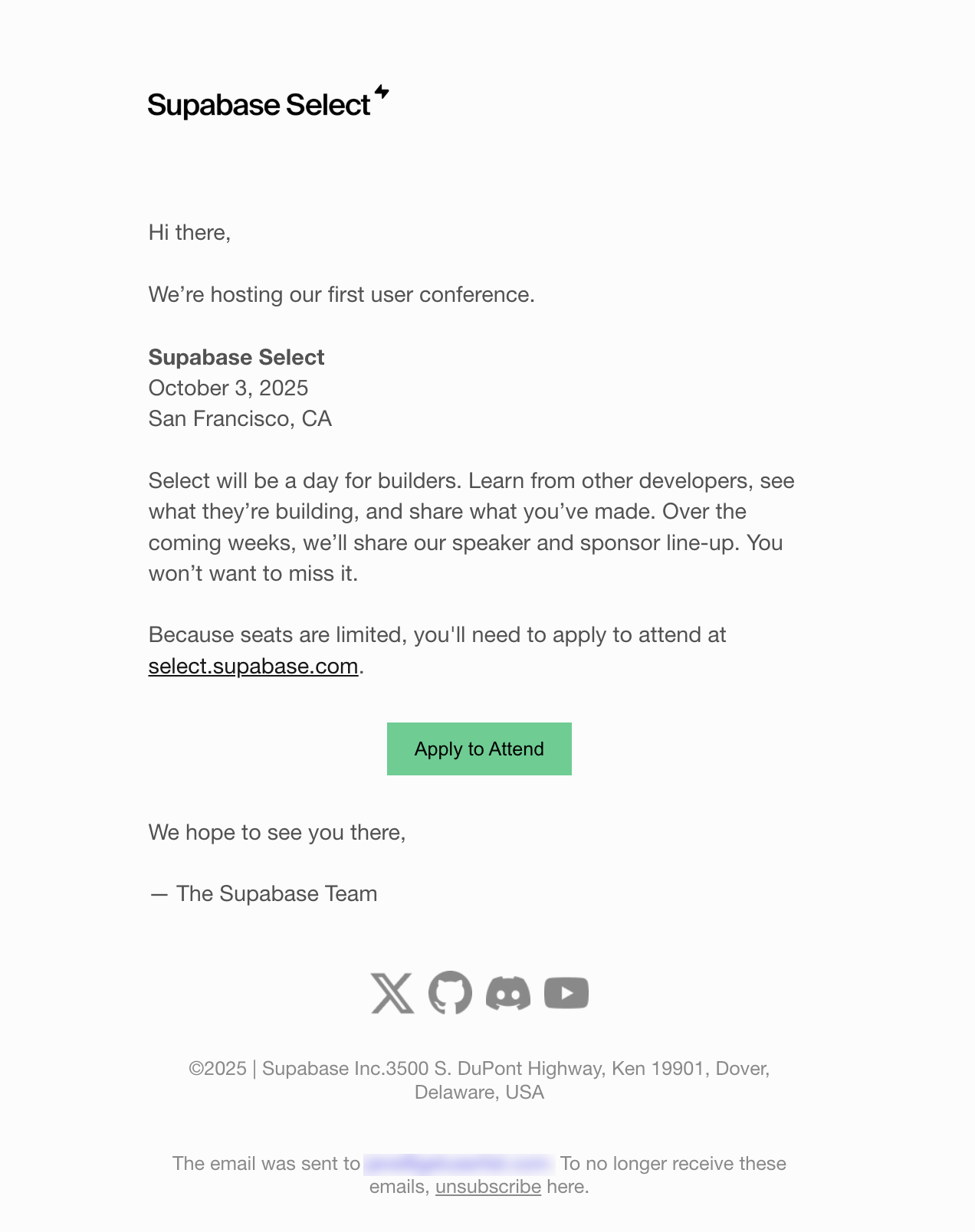
Supabase keeps it simple and minimalist for the first email of their sequence.
Aside from the basic details, the email talks about what attendees can expect from the conference and teases speaker and sponsor announcements for the next emails. The email ends with a CTA to apply for a conference.
What can be done better?
Having two CTAs near each other is redundant. Assuming that the application page’s URL is one and the same, the CTA button is already enough.
3. Stripe
Subject: Growth and revenue strategies at Sessions 2026
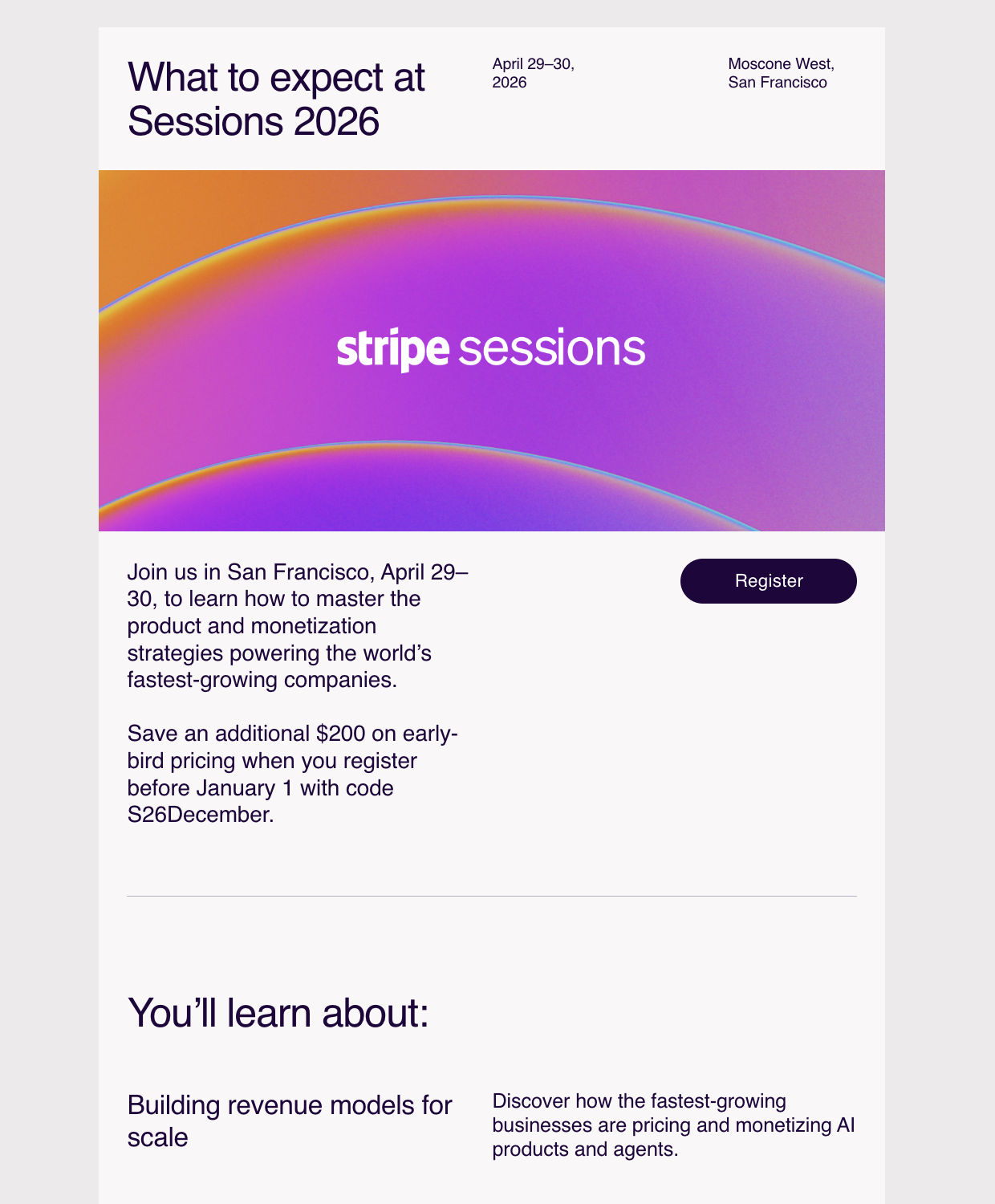
This email from Stripe focuses on what attendees can learn at the conference.
Aside from the when, where, and why of the conference, the first section also mentions a promo code for additional savings. We can also find a CTA button next to those details.
The second section talks about key topics and specific learnings attendees can take away from those sessions. The final section reiterates the when, where, and why, and also includes another CTA button to register for the event.
4. Userlist
Subject: Join us at MicroConf Europe
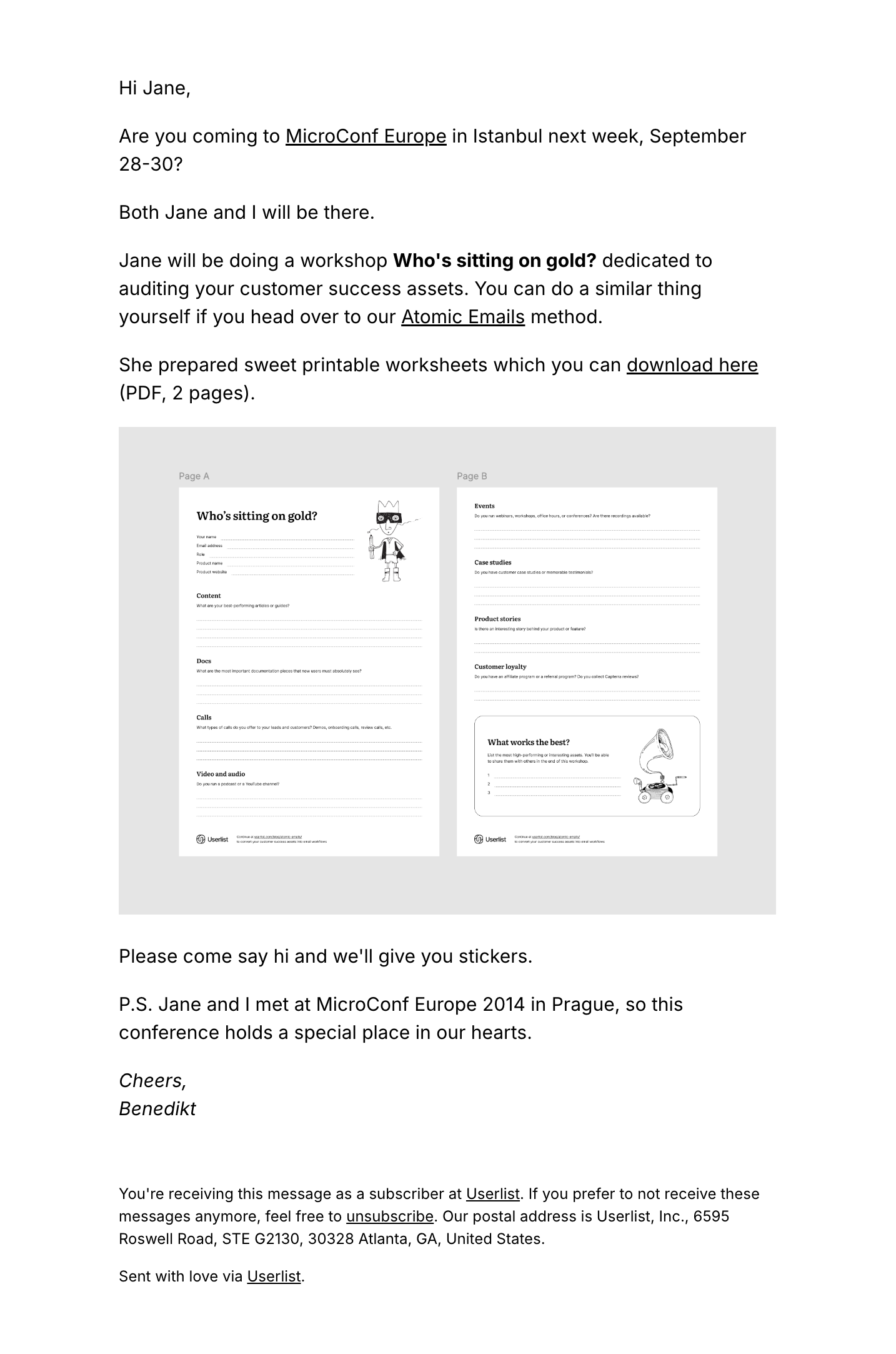
We sent this email a week before MicroConf Europe, telling readers we’ll be attending and will also spearhead a workshop. Aside from the workshop title, our email also included copies of the worksheets and a link to a helpful resource for readers who cannot attend the event.
In the P.S. section, our co-founder shares why this conference is special to them.
5. Ahrefs
Subject: [Feedback] - Ahrefs Evolve Conference 2024 (24-25 October)
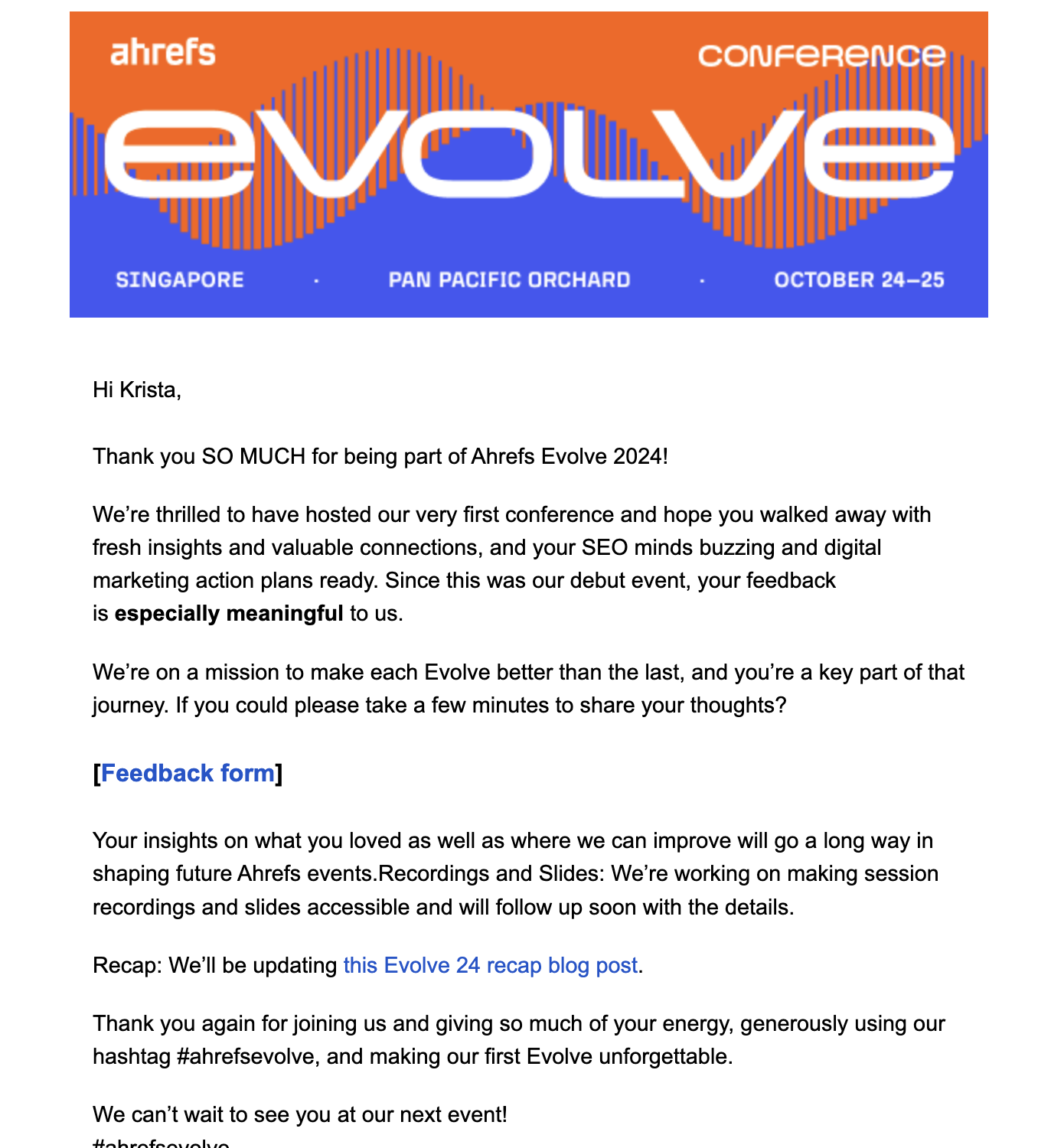
Ahrefs sent this feedback email a few days after the first Evolve conference.
They took this opportunity to thank the attendee for being part of their debut conference before asking feedback about the event. Aside from this, they also tell the reader that they can expect recordings, slide decks, and an updated recap blog post in the coming days.
The email ends with another short thank you message and that they look forward to seeing the reader again in their future events.
Here’s their email for the 2025 of the conference.
Subject: Ahrefs Evolve hits the U.S! Grab 1 of first 50 tickets
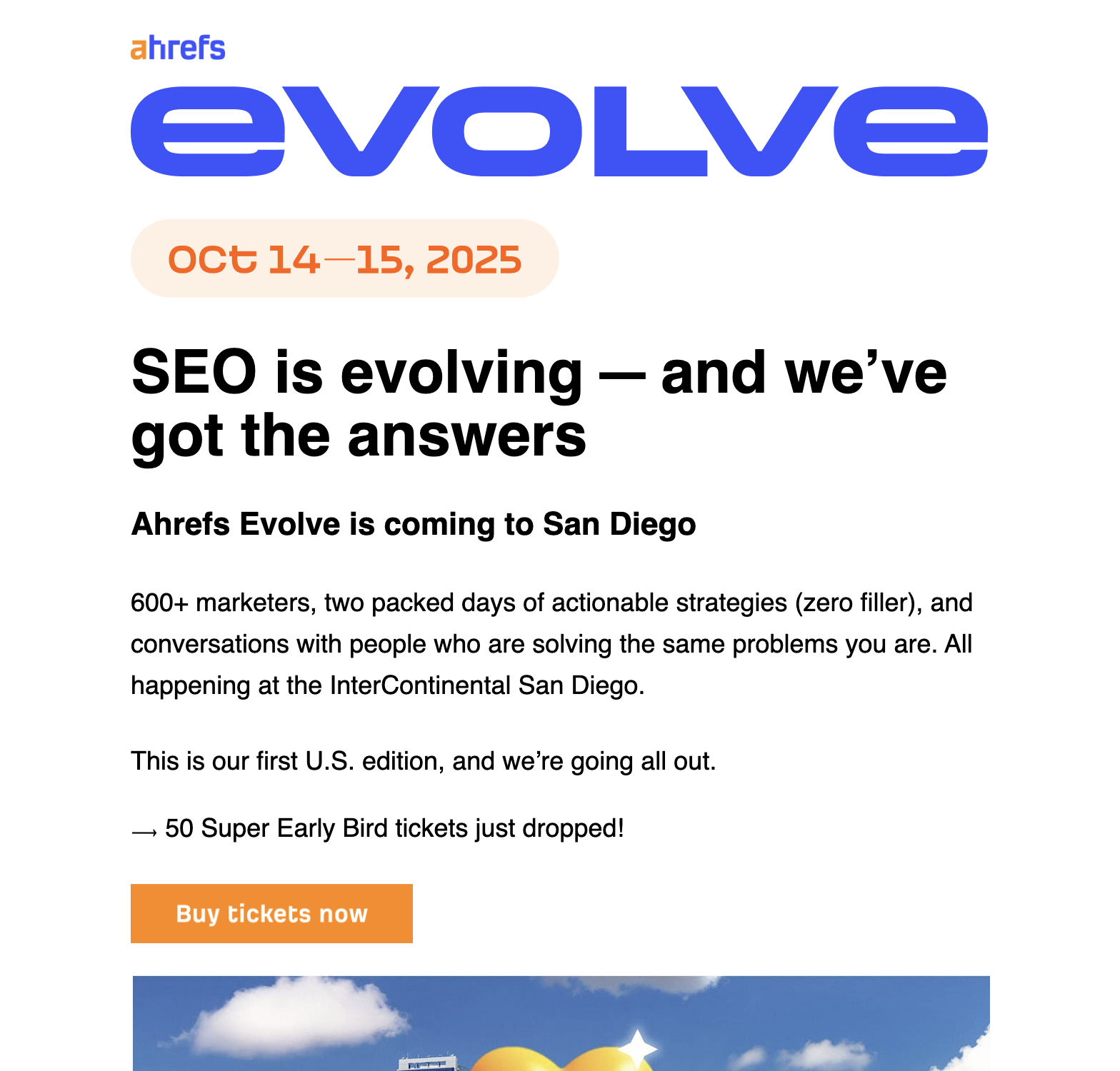
Their subject line “Get 1 of first 50 tickets” uses scarcity and fear or missing out as emotional triggers to convince the reader to immediately sign up.
The first part of the email focuses on how this will be the first U.S. edition of the conference. The next parts talk about what attendees can take away from the conference, a glimpse of the speaker lineup, and the prices of the tickets.
What can be done better?
There should be one more CTA button after the pricing section to make it easy for the reader who wants to register.
6. Notion
Subject: Your special invitation to Make with Notion 2025
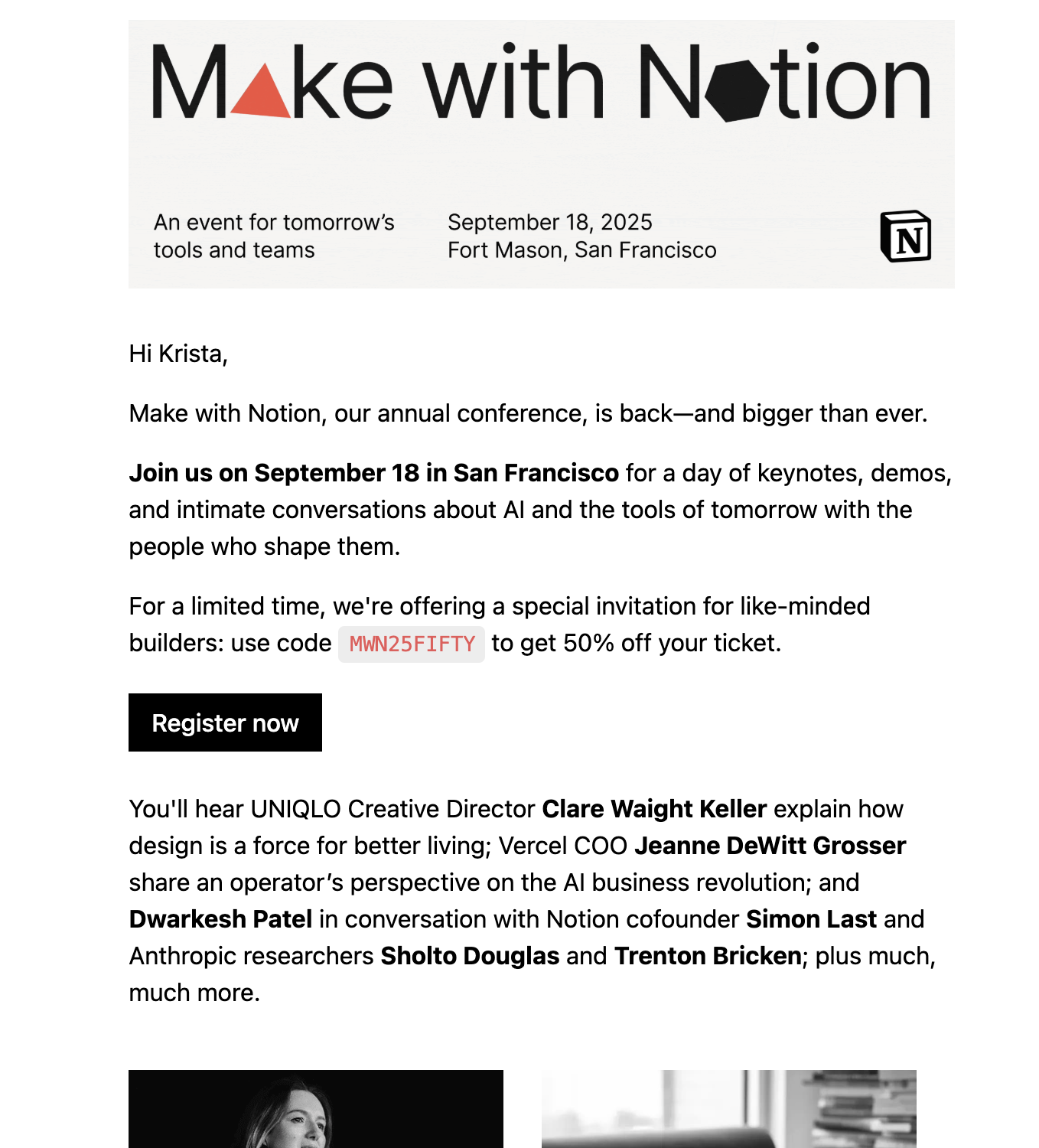
Notion used a GIF instead of a static image for their hero banner, making the conference details hard to miss.
The first section of the email reiterates the conference date, the key takeaways of the event, and the promo code readers can use for ticket discount. The second section spotlights some of the key speakers and their affiliations.
The third section reiterates the promo code, when the code will expire, and emphasizes that seating is limited to urge the user to register now. In the P.S. section, Notion mentions that there’s a livestream option for those who can’t make it to the event in-person.
7. Kit
Subject: I’ve seen my fair share of conferences. Craft + Commerce special.
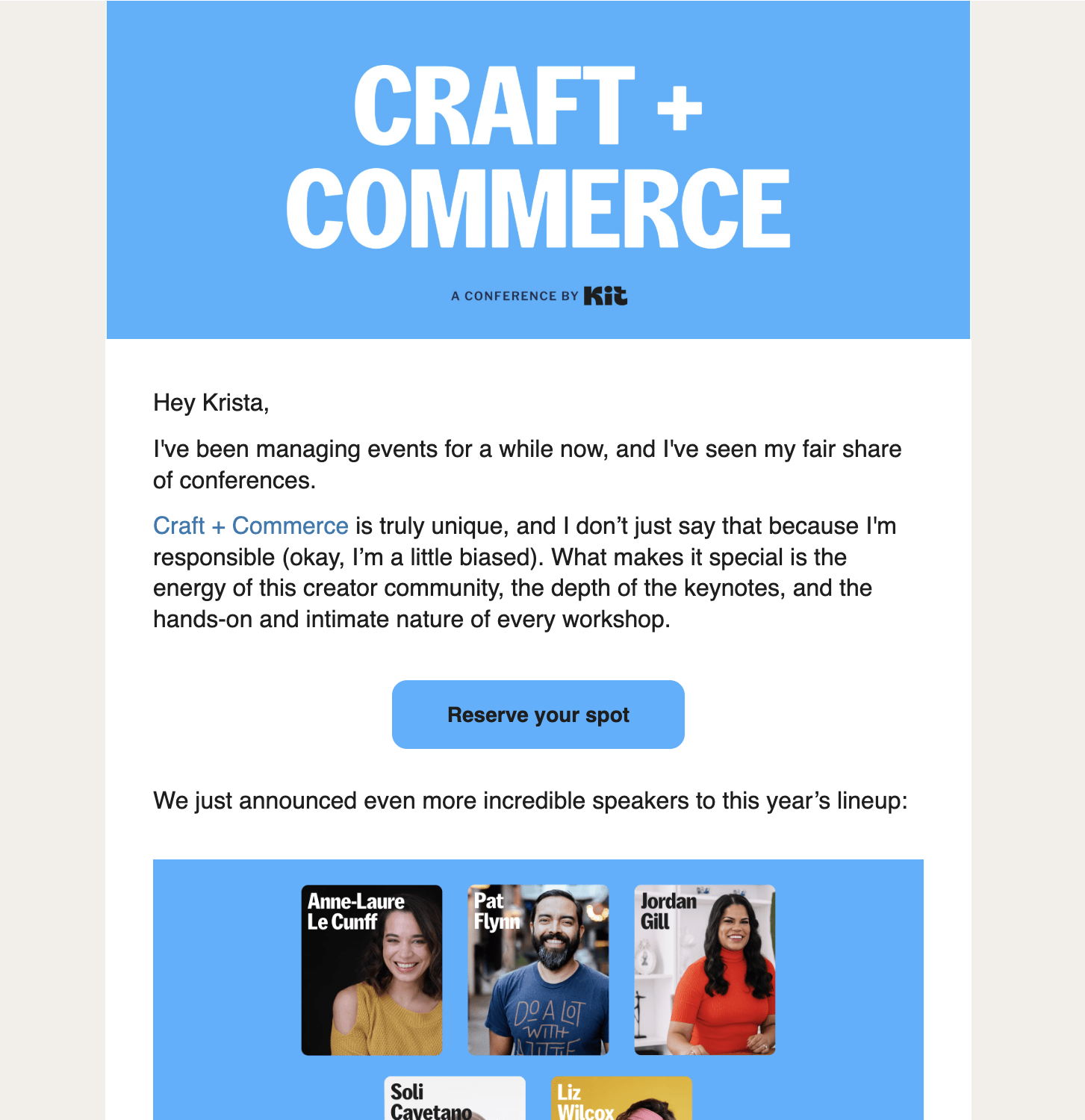
Kit’s email opens with a personal anecdote from their Creator Experiences head on what makes Craft + Commerce a special event, followed by a CTA to reserve a spot.
The next section features some of their event speakers and what they do, followed by a short announcement about early bird tickets running out and that readers should subscribe immediately if they want to save $200 off their ticket.
The final section shows testimonials from previous attendees to convince the reader that attending the conference is worth it.
8. DataCamp
Subject: RADAR returns: Join Apple, IBM, and Snowflake
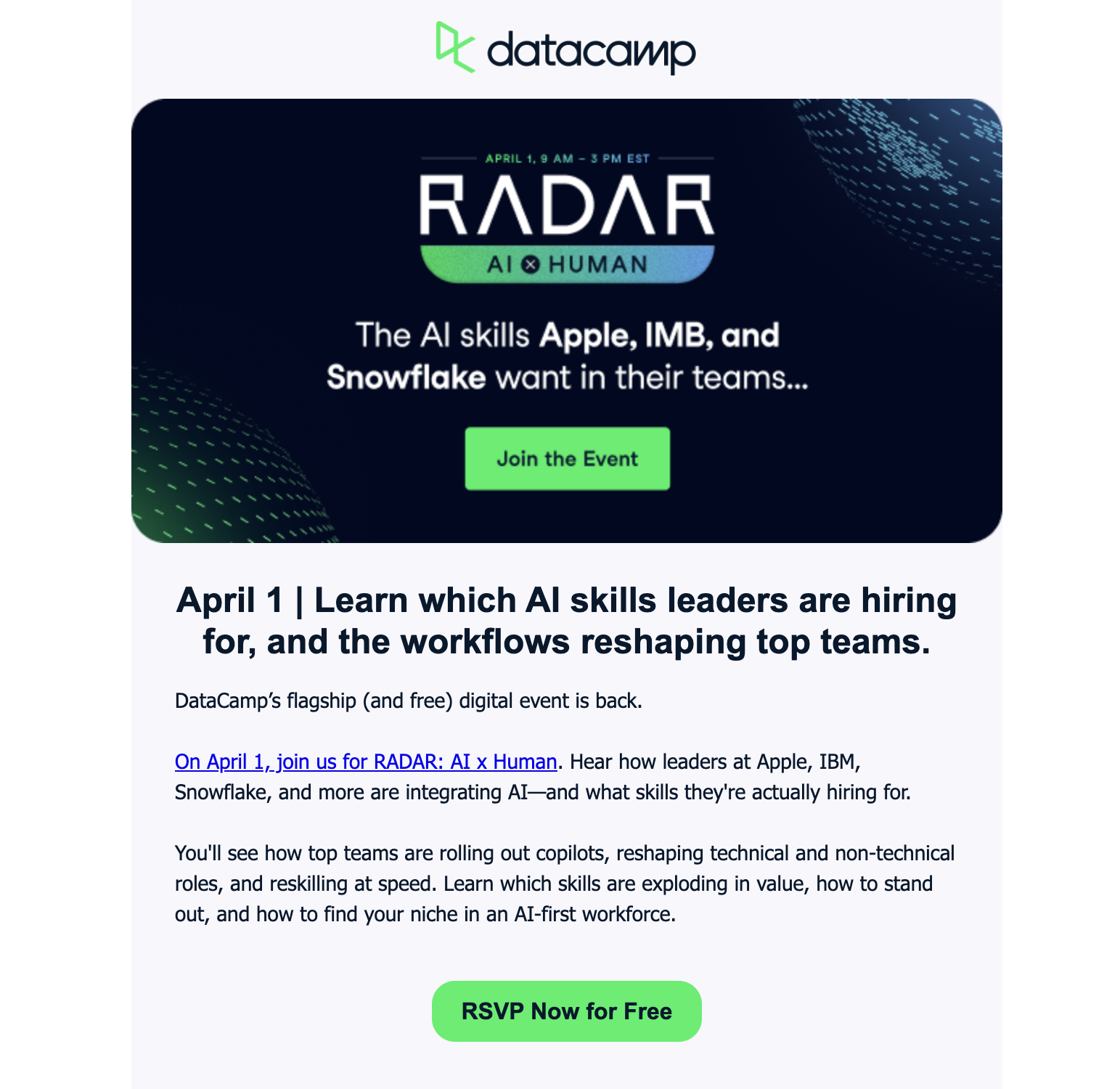
Similar to the other examples, DataCamp starts their email with a hero image containing the important event details. However, their version includes a CTA button.
The succeeding section of the email reiterates the main takeaway of the event, followed by a different variation of the CTA button to emphasize that it’s free to register. The last section features four key topics users can learn from the event and ends with another CTA button.
9. Vimeo
Subject: Final call: free virtual ticket for REFRAME 2025
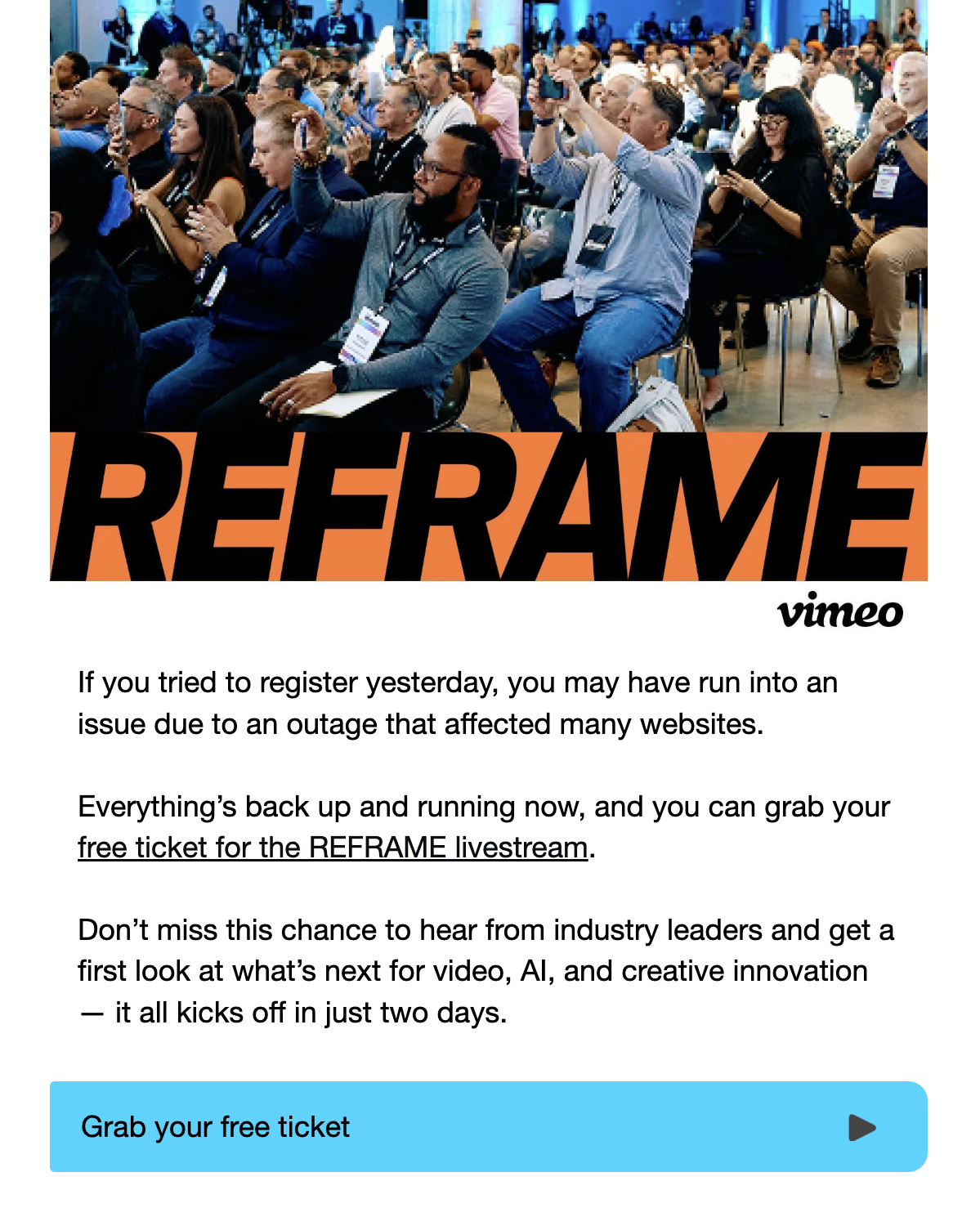
Vimeo’s email immediately acknowledges readers’ frustrations with getting tickets caused by a previous AWS outage. With everything back up and running, readers can now get their free tickets for REFRAME livestream by clicking on the CTA text and button.
In the next section, they highlight what attendees can learn from the event, ending with a “Last chance…” CTA button.
10. Canva
Subject: 100+ speakers. All at Canva Create: Uncharted
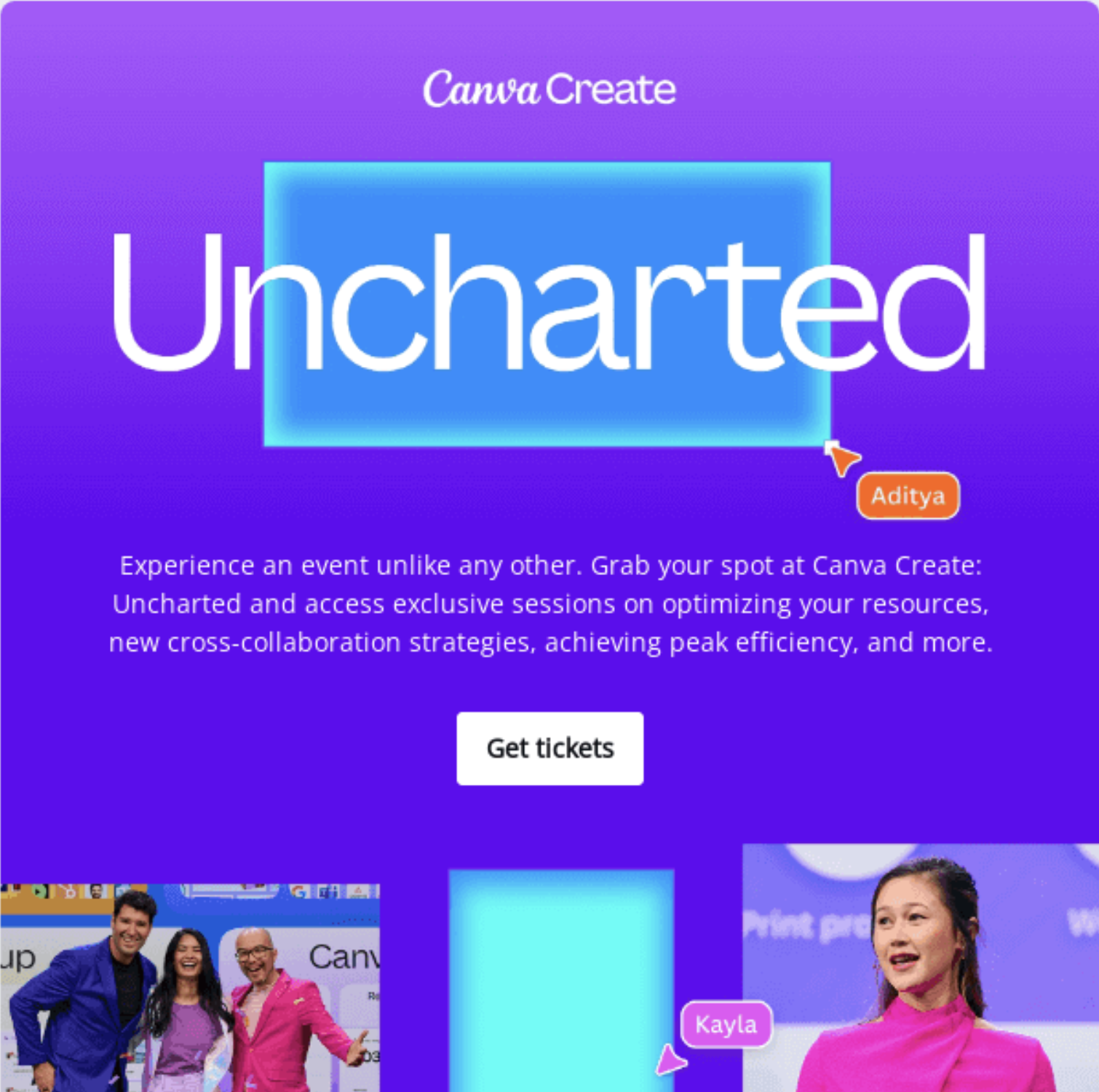
Source: Really Good Emails
Canva’s email immediately opens with what the reader can take away from Uncharted and a CTA button to get tickets.
The next section features the sessions made for teams, each linking to the different speaking stages. And unlike the other examples, Canva included a section checking in if the subscriber still wants to receive emails about Canva Create.
What can be done better?
Assuming that “Get Tickets” is the primary CTA of this email, the CTa button should be styled differently from the rest.
Don’t wait for the muse. Apply this step-by-step method to write high-performing email campaigns in hours, not weeks.
11. Webflow
Subject: Save the date: Don’t miss Seth Godin’s exclusive live session
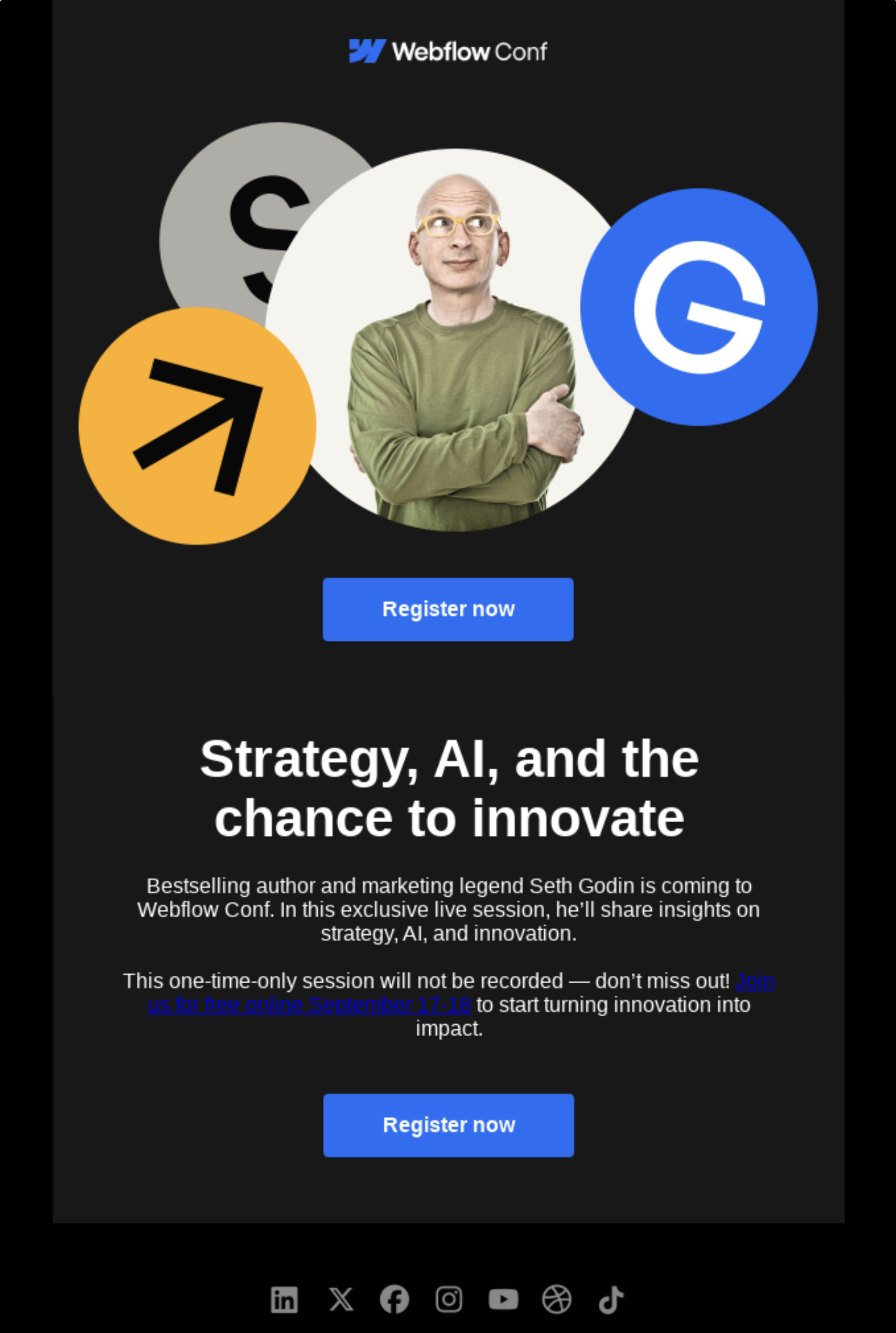
Source: Really Good Emails
This email from Webflow features renowned author and marketer Seth Godin who will be speaking at the conference. They emphasize that this exclusive live session will not be recorded, so participants must register for their event to hear it.
What can be done better?
Since this is a free event, they should include the word “free” on the CTA button.
12. Zapier
Subject: ZapConnect 2025_ Explore the full agenda
Source: Really Good Emails
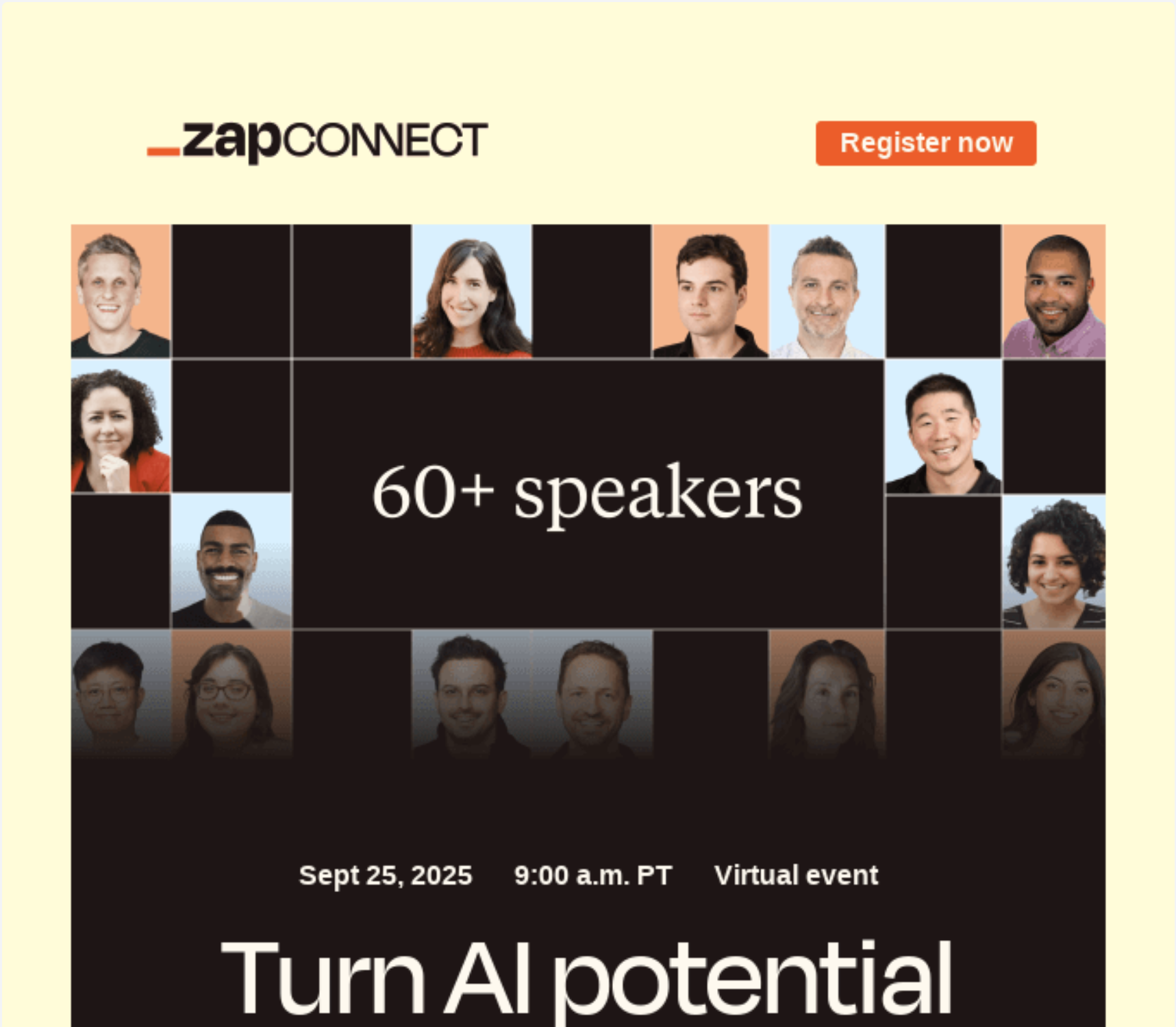
Zapier’s email opens with a hero image containing all the important conference details and a CTA to save a spot. The next section features a few speakers and their session topics and a link to the full agenda so attendees know what they can learn from the event.
The last section lists three things to expect at ZapConnect and another CTA to save a spot.
13. Google
Subject: There’s more than one good reason to register for Next today
Source: Really Good Emails
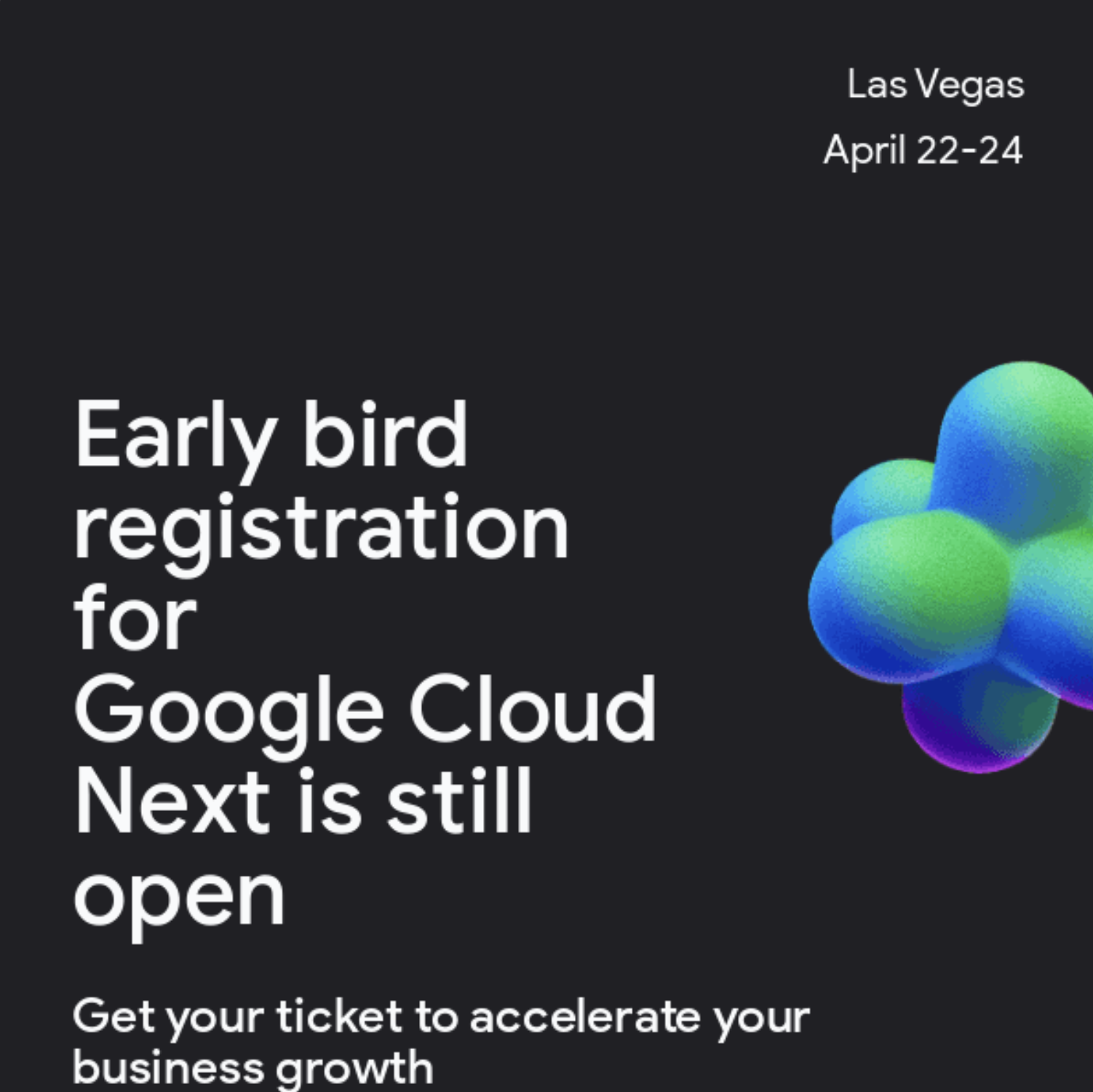
Google sent this email to encourage subscribers to register early for Google Cloud Next.
The first section highlights the early bird pricing and the promo code, and the succeeding one focuses on what participants will learn at the conference The third section links to a YouTube video showing a highlight reel of the previous conference edition so readers have an idea of what to expect. The final section shows sponsor logos, creating a sense of trust and prestige in the event.
14. Dovetail
Subject: We’ll be seeing you Stateside 🇺🇸
Source: Really Good Emails
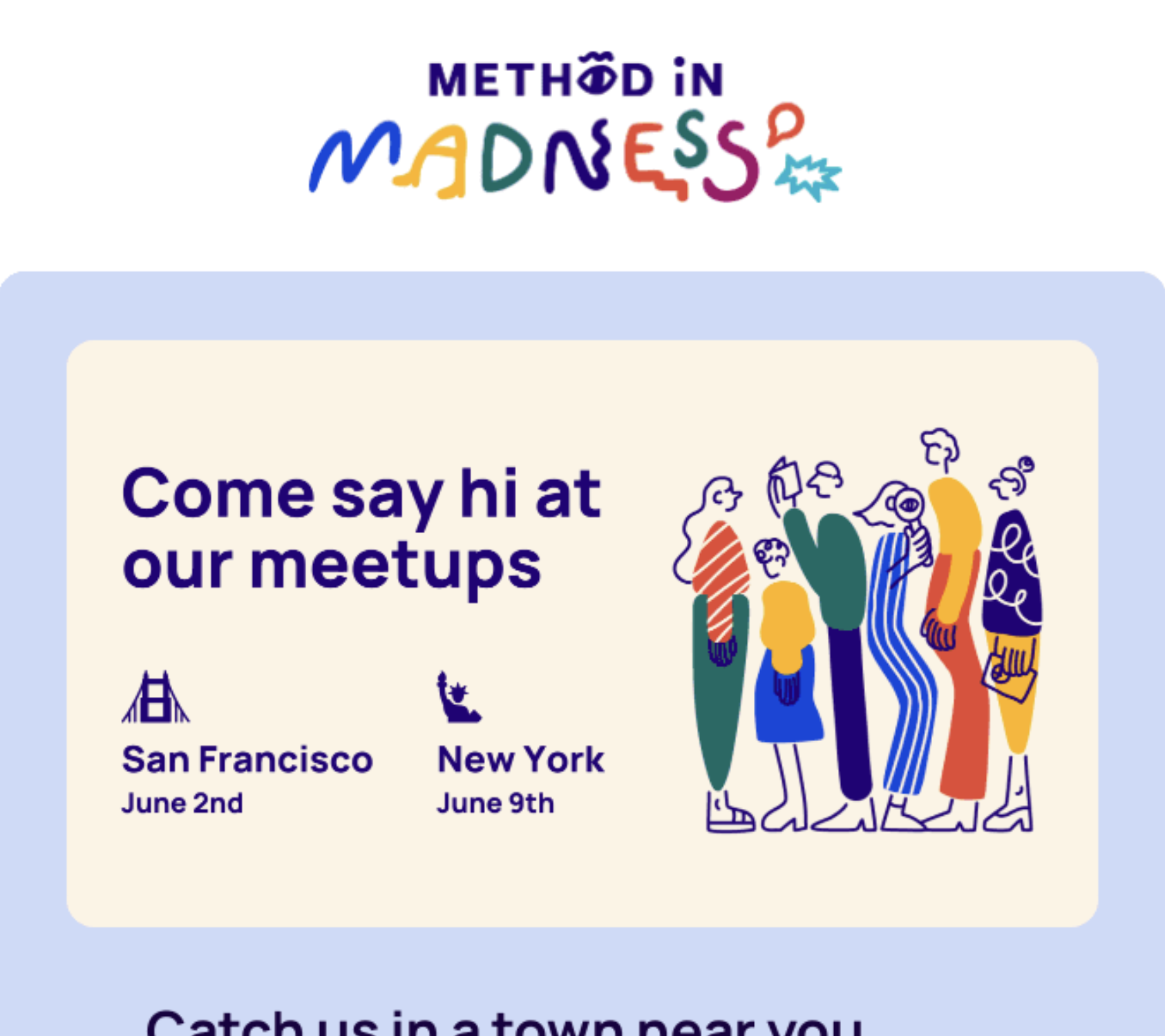
As part of a newsletter edition, Dovetail highlights their in-person meetups in two U.S. locations. The section talks about who will be speaking, what attendees will learn, and when these sessions will be happening. The section ends with a CTA to register for the meetup.
15. Salesforce
Subject: Now accepting session submissions for Connections.
Source: Really Good Emails
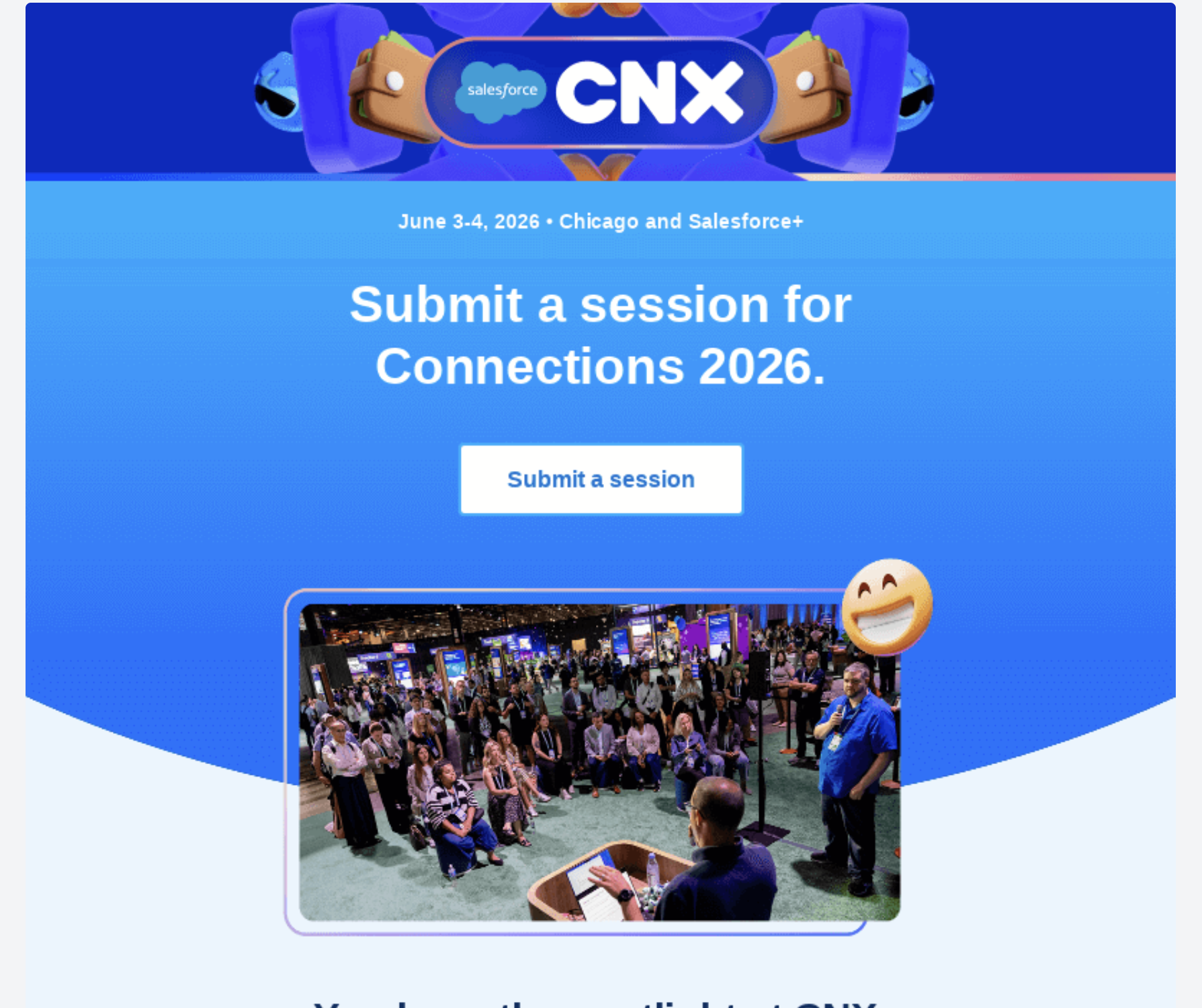
This email from Salesforce invites subscribers to submit a session for the event. The first section describes what type of audience will be at Connections. The next section details what type of stories they’re looking for, ending with the deadline to submit and a CTA button.
16. GitHub
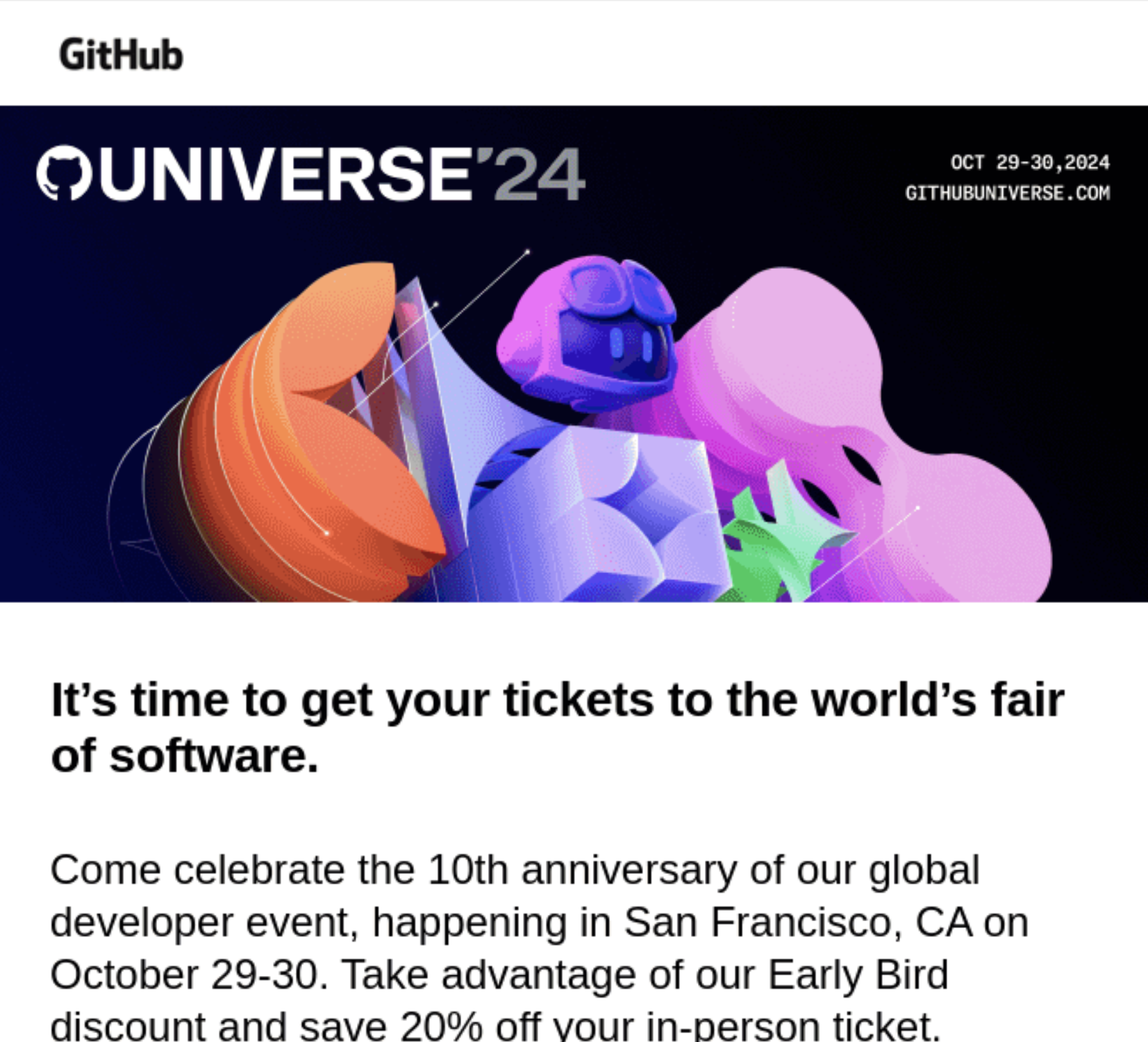
Subject: Heads up! 20% off GitHub Universe tickets
Source: Really Good Emails
GitHub’s email opens with the basic details of the conference and a CTA to get tickets. The rest of the email is dedicated to more details about the event and is divided into four major sections: the who, what, where, and when. The email ends with another CTA to get discounted tickets.
17. Next.js
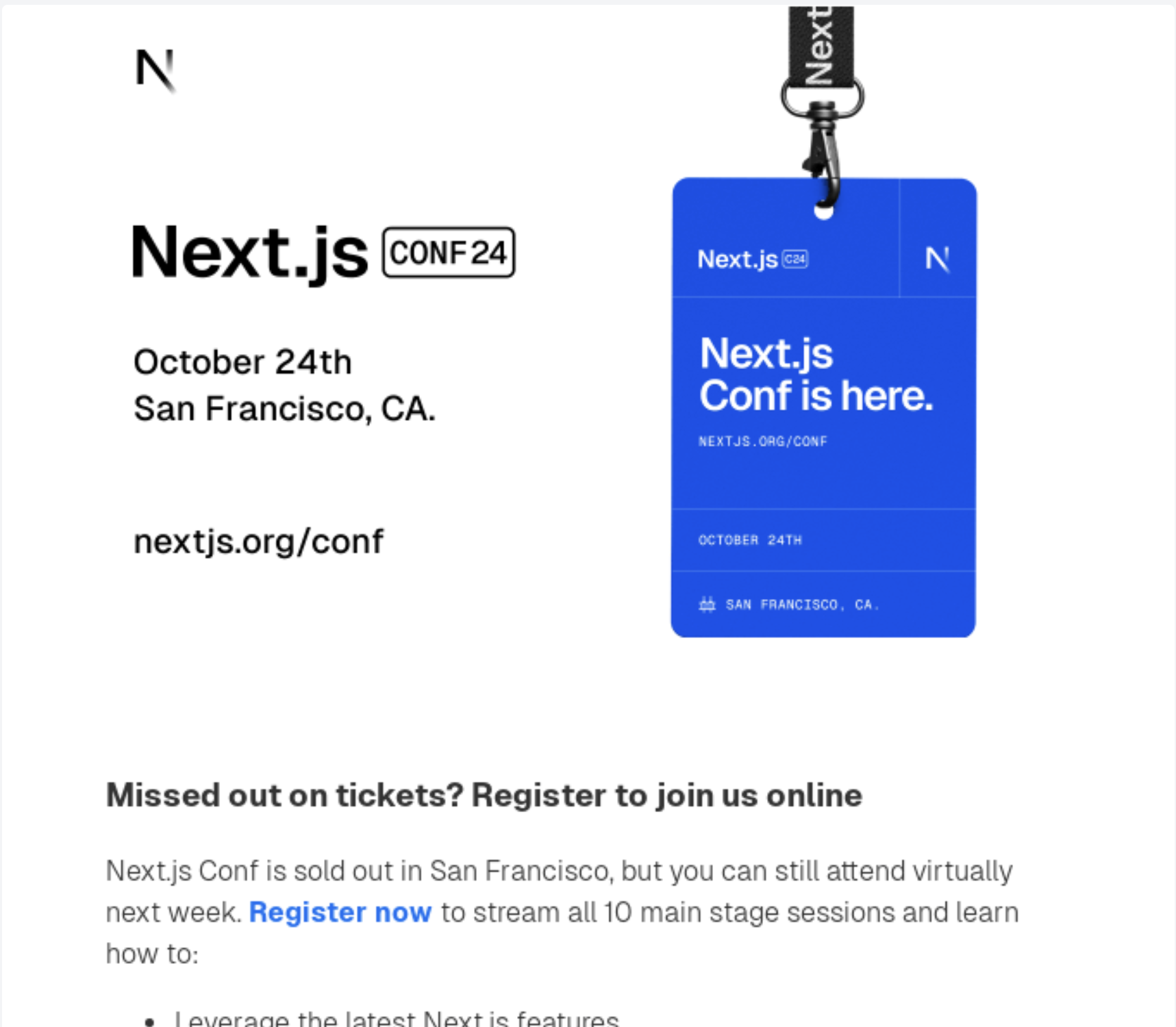
Subject: Join Next.js Conf online next week
Source: Really Good Emails
Next.js sent this email to subscribers who missed out on tickets for the in-person event so they can view the sessions virtually.
The email body focuses on what they’ll learn from the 10 main stage sessions and ends with a CTA button to register. We can also find a secondary CTA to explore the full agenda.
18. Adobe
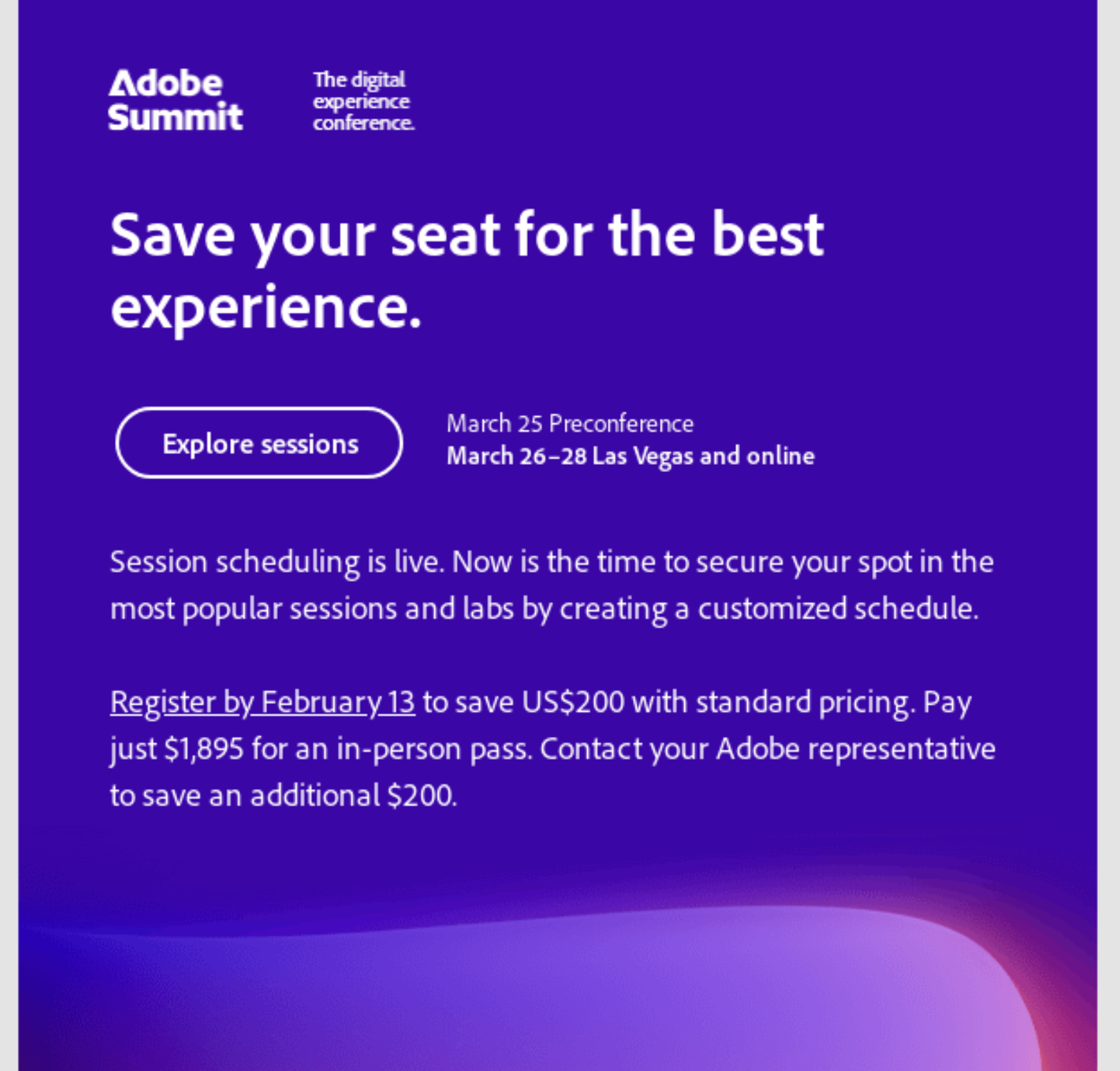
Subject: Start scheduling your Summit sessions now
Source: Really Good Emails
Adobe’s email serves as an invitation to register for their conference and create a customized schedule. To further encourage the reader to sign up, they tell the reader that they can save more when they sign up early before the deadline.
The second half of the email shows logos of their diamond sponsors and a small inline CTA should anyone want to sign up to become a sponsor.
19. Typeform
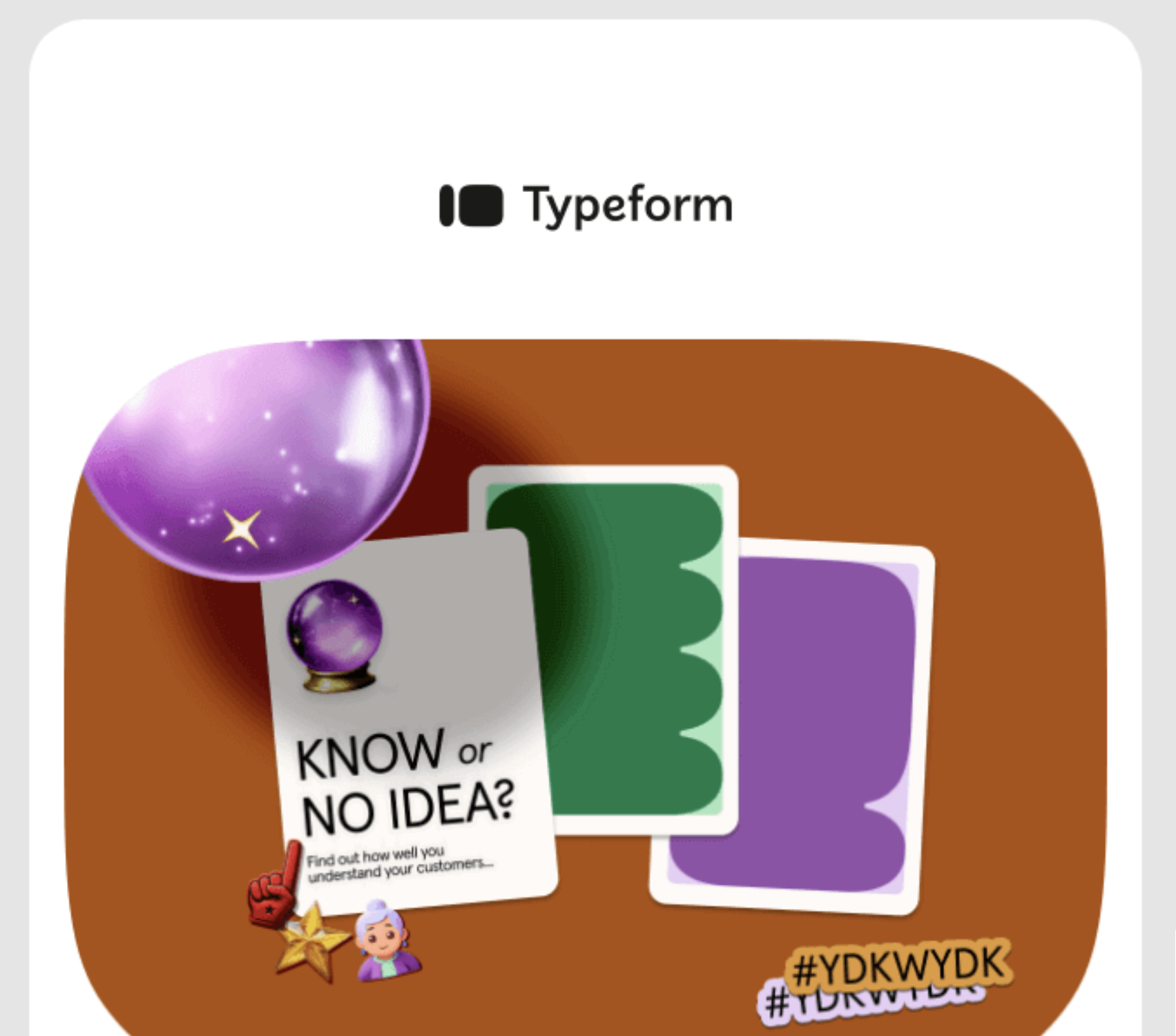
Subject: Headed to INBOUND? Save this email ⭐
Source: Really Good Emails
As one of the event sponsors, Typeform sent this to invite their subscribers to stop by their booth at Inbound 2024 and follow them on LinkedIn to get updates.
They also talk about a masterclass they’re holding with Supered and take a Typeform quiz so readers can build their conference agenda.
More than just an invitation
Conference emails do more than just drive registrations to your event.
These emails set the tone for the event and reflect your brand, so make sure readers can clearly see the value they’ll get in exchange for their time, money, and effort.
Don’t miss out on new articles. Subscribe to our newsletter and get your monthly dose of SaaS email marketing insights.